Crypto Security Best Practices 2025 | Protect Your Investment
TL;DR - Quick Summary:
- Use hardware wallets (Ledger, Trezor) for holdings over $5,000 AUD
- Enable 2FA with authenticator apps (never SMS) on all exchange accounts
- Never share your seed phrase - it's like giving away your bank password
- Beware of phishing scams targeting Australian crypto investors via email and SMS
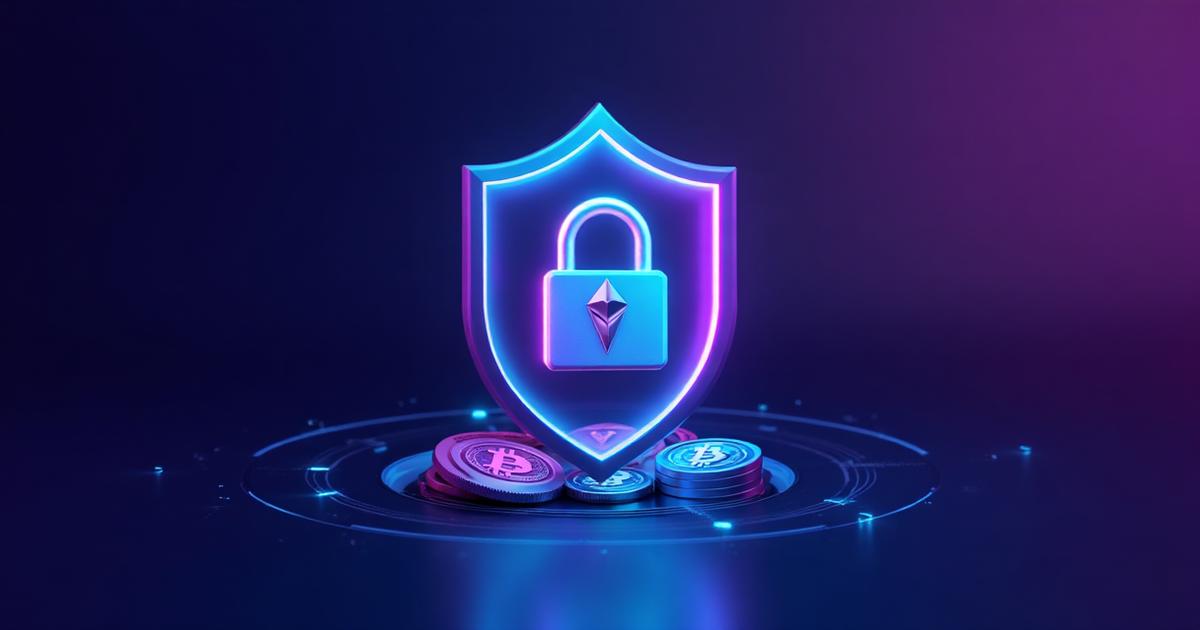
Cryptocurrency security is critical for protecting your investment from hackers, scams, and theft. In 2024, Australians lost over $221 million to crypto scams according to Scamwatch. Whether you're holding $100 or $100,000 in crypto, implementing proper security measures is non-negotiable. This comprehensive guide covers everything young Australian investors need to know about protecting their cryptocurrency assets.
Jittie Editorial Team
Crypto Education Specialists
Our team of crypto experts and financial educators are passionate about making cryptocurrency accessible to all Australians. With backgrounds in blockchain technology, finance, and education, we create clear, accurate guides to help you navigate the crypto world safely.
Understanding Crypto Security Basics
Unlike traditional banks, cryptocurrency operates on a principle of self-custody - you are your own bank. This means:
- No Chargebacks - Once crypto is sent, it cannot be reversed
- No Account Recovery - Lost passwords or seed phrases mean lost funds forever
- You're Responsible - No bank or government will reimburse stolen crypto
- Anonymous Transactions - Thieves can't easily be tracked or prosecuted
The good news? Following basic security practices makes crypto extremely safe. Scamwatch reports that most losses result from user error, not technical breaches.
Hardware Wallets: Maximum Security
Hardware wallets are physical devices that store your private keys offline, making them immune to online hacking. Essential for serious investors.
Top Hardware Wallets for Australians
- Ledger Nano X - $219 AUD, supports 5,500+ cryptocurrencies, Bluetooth connectivity, best for mobile users
- Trezor Model T - $329 AUD, open-source, touchscreen, excellent for Bitcoin and Ethereum
- Ledger Nano S Plus - $139 AUD, budget-friendly, perfect for beginners
When to Use a Hardware Wallet
- Holdings over $5,000 AUD
- Long-term investments (holding for 6+ months)
- Large one-time purchases
- When you want maximum peace of mind
Setup Best Practices
- Buy directly from manufacturer (never second-hand)
- Write down your 24-word seed phrase on paper (never digital)
- Store seed phrase in a fireproof safe or bank safety deposit box
- Create a metal backup for extra protection against fire/water damage
- Never take photos of your seed phrase
- Test recovery process with a small amount first
Two-Factor Authentication (2FA): Your First Defense
2FA adds a second verification step beyond your password, dramatically improving account security.
Best 2FA Methods (Ranked)
- Authenticator Apps - Google Authenticator, Authy, or Microsoft Authenticator (MOST SECURE)
- Hardware Security Keys - YubiKey for ultra-high-security needs
- SMS Codes - Better than nothing but vulnerable to SIM-swapping attacks (AVOID IF POSSIBLE)
Enabling 2FA on Australian Exchanges
All major Australian exchanges including Jittie, CoinSpot, and Swyftx support authenticator app 2FA:
- Download Google Authenticator or Authy on your phone
- In exchange settings, select "Enable 2FA"
- Scan the QR code with your authenticator app
- Save backup codes in a secure location (not on your phone)
- Test login with 2FA before logging out
Pro Tip: Use separate 2FA codes for email and exchange accounts. If one is compromised, the other remains secure.
Recognizing and Avoiding Phishing Scams
Phishing is the #1 way Australians lose cryptocurrency. Scammers impersonate legitimate exchanges to steal login credentials.
Common Phishing Tactics
- Fake Emails - "Your account will be suspended" or "Verify your identity immediately"
- SMS Phishing - Links claiming to be from exchanges with urgent security alerts
- Social Media Scams - Fake support accounts on Twitter/X and Telegram
- Copycat Websites - coinspot.com.au vs coinsp0t.com.au (zero instead of 'o')
- Fake Apps - Malicious apps in app stores that look like real exchanges
How to Protect Yourself
- Bookmark Official Sites - Always access exchanges through saved bookmarks, never email links
- Verify URLs - Check for HTTPS and exact spelling (look for substituted characters)
- Never Share Credentials - No legitimate exchange will ever ask for your password via email/SMS
- Use Official Apps Only - Download from App Store/Google Play, verify developer name
- Check Email Domains - Real emails from Jittie come from @jittie.com, not @jittie-support.com
- Enable Withdrawal Whitelist - Only allow withdrawals to pre-approved wallet addresses
Report scams to Scamwatch to help protect other Australians.
Password Security and Management
Your password is the first line of defense. Weak passwords are the easiest way for hackers to access your accounts.
Creating Strong Passwords
- Length Matters - Minimum 16 characters (longer is better)
- Use Unique Passwords - Never reuse passwords across different exchanges
- Mix Characters - Combine uppercase, lowercase, numbers, and symbols
- Avoid Personal Info - No birthdays, names, or common words
Password Managers (Highly Recommended)
Password managers generate and securely store complex passwords:
- 1Password - $5.99/month AUD, excellent Australian support
- Bitwarden - Free tier available, open-source
- LastPass - Free for single device, premium for multiple devices
Never save passwords in browsers or notes apps - these are easily compromised.
Exchange Security vs Self-Custody
Deciding where to store your crypto depends on your needs and technical comfort level.
Exchange Wallets (Hot Wallets)
Pros:
- Easy to use, perfect for beginners
- Instant access for trading
- Customer support available
- Insurance on major exchanges like Jittie
Cons:
- Not your keys, not your crypto
- Vulnerable to exchange hacks (rare but possible)
- Requires trusting third party
Best for: Active traders, holdings under $5,000, beginners
Self-Custody (Cold Storage)
Pros:
- Complete control over your assets
- Immune to exchange hacks
- True ownership and privacy
Cons:
- You're responsible for security
- Lost seed phrase = lost funds forever
- More complex for beginners
Best for: Long-term holders, large amounts, privacy-conscious users
Recommended Strategy
- Under $1,000: Keep on exchange for convenience
- $1,000-$5,000: Consider software wallet (Trust Wallet, Exodus)
- Over $5,000: Move to hardware wallet
- Active trading funds: Keep small amount on exchange for trading
What to Do If You're Hacked or Scammed
If you suspect a security breach, act immediately to minimize damage:
Immediate Actions
- Change Passwords - Update passwords for affected accounts and any accounts using the same password
- Enable/Reset 2FA - If compromised, disable and re-enable with new codes
- Contact Exchange - Report unauthorized activity immediately. Jittie support responds within minutes
- Transfer Remaining Funds - Move any remaining crypto to a new secure wallet
- Document Everything - Screenshot transaction IDs, timestamps, wallet addresses
Report to Authorities
- Scamwatch - ACCC's official scam reporting service
- ReportCyber - Australian Cyber Security Centre
- Local police - File formal report for insurance purposes
- Your bank - If credit card was compromised, dispute charges
Prevention is always better than cure. Following the security practices in this guide makes you 99% safer than the average user.
Notes
Next Steps
- 🚀 Start investing: Buy Bitcoin | Buy Ethereum securely
- 📚 Learn Bitcoin fundamentals before investing
- 💳 Buy crypto with Apple Pay instantly
- 💰 Understand crypto taxes in Australia
- 💬 Contact us with security questions
*Disclaimer: This article is for informational purposes only and not financial advice. Always do your own research.*
Market levels referenced using TradingView BTC/USD charts and general market commentary from publicly available crypto sources.